Beat-mapped Hue lighting
for Home Assistant.
Hue Synco follows any Home Assistant media player and lights your Hue entertainment area on the beat. Tracks are analysed first, so the show is scheduled ahead of the music. A dashboard card mirrors the room live.
- MIT licence
- 100% Free forever
A dashboard card for phones and wall tablets.
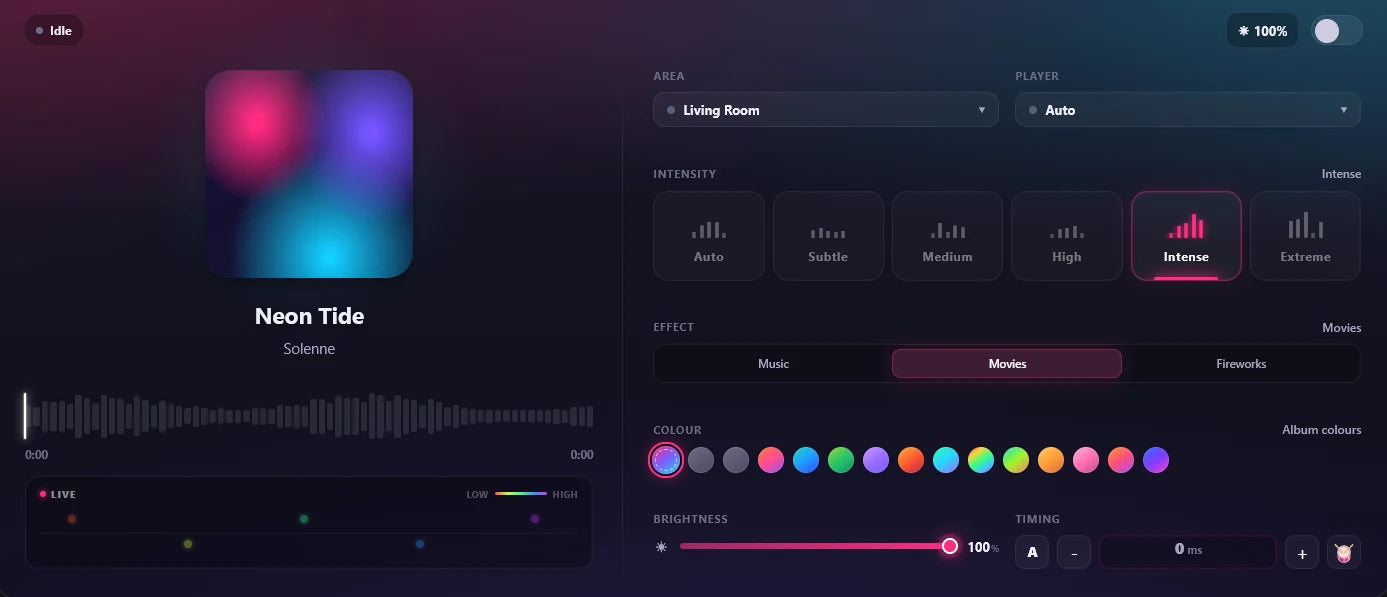
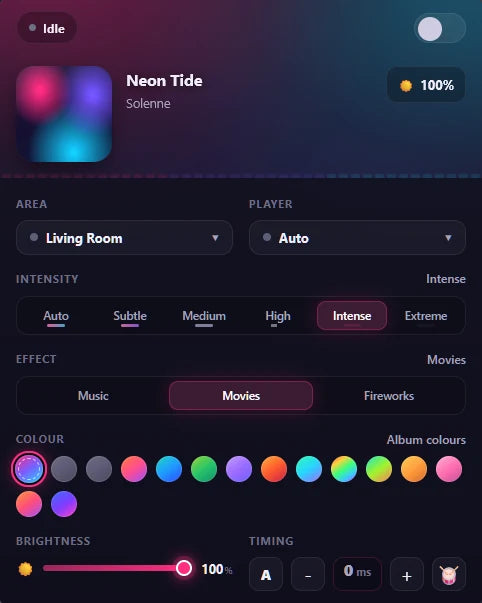
It ships inside the integration and registers itself: a landscape layout for wall tablets and a compact one for phones, with Beat Pads, timing trim and a library browser.
Try it, on a Home Assistant dashboard.
The real Hue Synco card on a simulated dashboard. Press play, then try the intensity, effects, beat pads and the player the lights follow. Audio is analysed in your browser, a simplified version of the integration's own analysis.
Up next: Pulse · Pulse Train
The card is the real Hue Synco card on a simulated dashboard, and each lamp plays its own slice of the song's spectrum. Hue Synco analyses tracks ahead of time; this page uses a simplified in-browser version.
Study once. Land on every beat after that.
A show that reacts to live sound is always a moment late. Hue Synco analyses each track once and remembers the map, so it knows where the beats and the drop will fall.
Play the same song both ways and watch the drop.
Scheduled: each flash is placed on the beat grid ahead of time, and the room swells into the drop because it knows the drop is coming.
Any player in Home Assistant. Music Assistant first.
Pick a player on the card, pin one per area, or let it follow whatever is playing. It picks the best audio source available and upgrades live.
| Player | How the lights hear it |
|---|---|
| Sendspin | Live audio from the track's own stream, with full beat accuracy and an exact playhead from Sendspin's synchronised clock |
| Squeezelite · Slimproto | Live audio from the stream, re-synced on drift |
| AirPlay · Chromecast · Sonos · DLNA · ESPHome · groups | The pre-analysed track map, with full beat accuracy (as Music Assistant players) |
| Any other media player | Metadata: a gentle animation that upgrades when a real source appears |
What reacts matters as much as when.
These choices make a room feel like it is listening.
Films too, with Hue Ghost.
Hue Ghost is our free Windows program that syncs Hue lights to Jellyfin, games and apps. Point Hue Synco (1.60 or newer) at its PC for a Global sync light, per-source switches and a card. Movie mode stops music sync first; music sync turns it off.
About Hue Ghost →On Android? CAMusic.
CAMusic is our free Android music player. It streams to the bridge itself at 60 frames a second from your phone, tablet or TV, and can hand the lights to Hue Synco when you run both.
About CAMusic →What you need, and how to install it.
Create and arrange your entertainment area in the Hue app first: the lamp positions you set there are what the choreography and the card's room mirror use.
You will need
- Home Assistant 2024.12 or newer
- A Hue Bridge v2, the square one
- An entertainment area, arranged in the Hue app
- Music Assistant recommended; any media player works
- The ffmpeg integration, included with HAOS, Container and Supervised
Install with HACS
- In HACS, open ⋮ → Custom repositories
- Add github.com/engabd11/syncoV2 with type Integration
- Install Hue Synco and restart Home Assistant
- Or copy custom_components/hue_music_sync into your config by hand
Set up
- Your bridge appears under Settings → Devices & services, or add Hue Synco and enter its address
- Press the link button on the bridge when asked
- Choose which entertainment areas to enable
- Add the Hue Synco Card, already in the card picker
What to know before you start.
Open any of them.
Photosensitivity: keep to the strict limiter please read
Subtle, Medium, High and the Movies effect use a strict flash limiter built around WCAG 2.3.1 (at most three whole-room flashes a second). Auto uses it too unless you add Intense or Extreme to its range. Intense relaxes the limiter and Extreme bypasses it, so stay on the strict levels if anyone in the room may be photosensitive.
One area streams at a time on each bridge a bridge rule
Each bridge has a single entertainment stream, and each extra bridge gets its own entry.
A new song upgrades in about ten seconds first play
A new song starts on a live analysis and upgrades when its beat map lands. Analyse library prepares your whole catalogue.
An amber “Metadata only” pill and how to fix it
Hue Synco is waiting for a stream or track map from that player, so the room glows gently. Analyse your library, or add your OpenSubsonic server in the options.
Things people ask before they install.
Do I need Music Assistant?+
Music Assistant is recommended: its players give Hue Synco a real audio source to analyse. Any other Home Assistant media player works too, with a gentler show until a better source appears.
Will it work with my Sonos or AirPlay speakers?+
Yes, once they are players in Music Assistant. For AirPlay, Chromecast, Sonos, DLNA and ESPHome, Hue Synco uses the pre-analysed track map for full beat accuracy.
How is my bridge key protected?+
Pairing checks the bridge's certificate against Signify's published Hue root certificates, and early bridges are pinned on first use. The light stream is encrypted with DTLS, and URLs with login tokens are masked in the logs.
Does it run locally?+
Yes. Hue Synco runs inside your Home Assistant and talks to your own players, library and bridge. Setup can use Hue's discovery lookup to pre-fill the bridge address.
Is it free?+
Yes. Hue Synco is free and open source under the MIT licence.
Every speaker in the house, and the lights keep time.
Add it to Home Assistant in a few minutes.
Hue is a trademark of Signify Holding B.V. Hue Synco is an independent project, not affiliated with or endorsed by Signify or the Music Assistant project.